
Position-based display
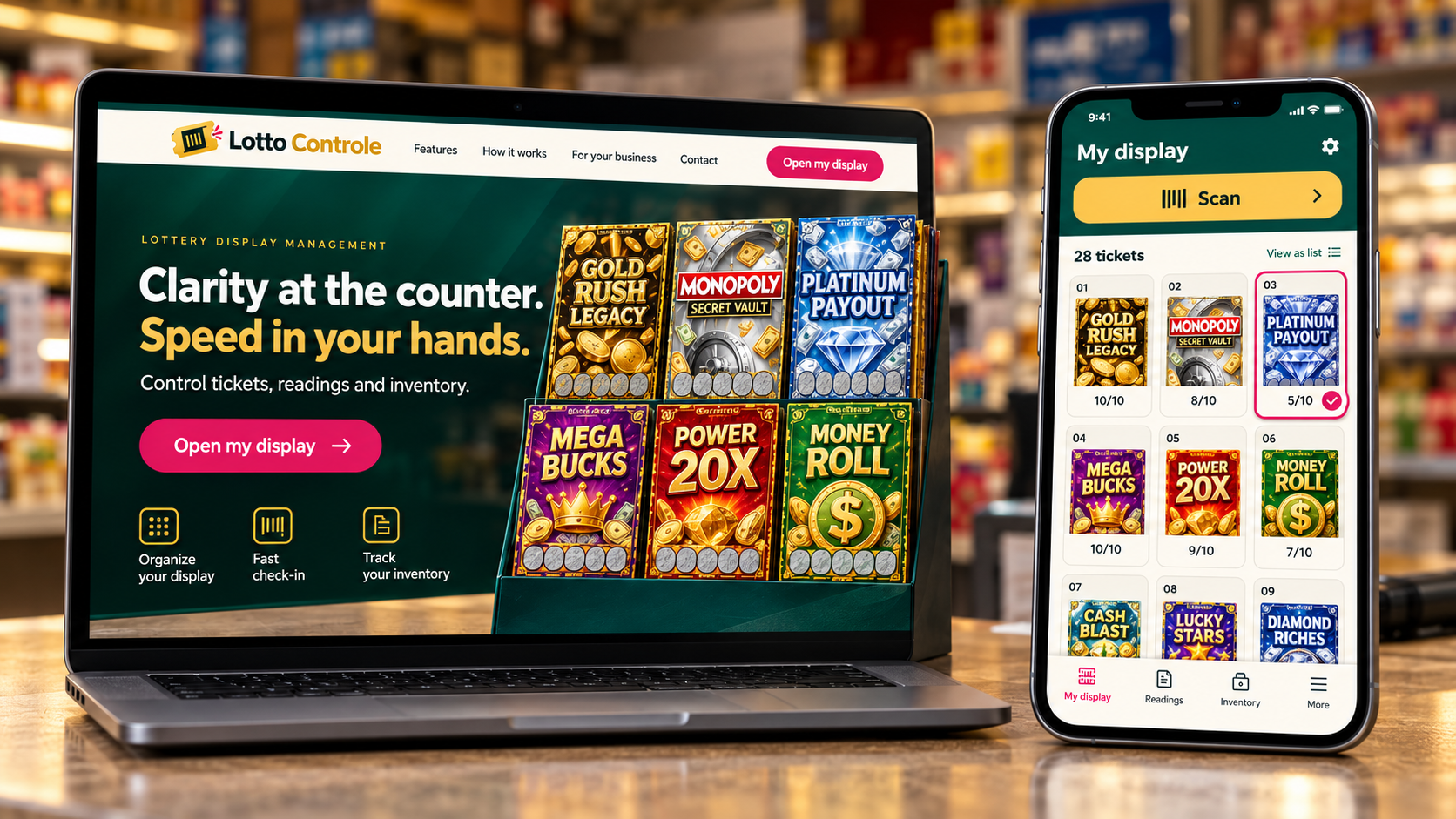
See games in numbered slots. Tap a position to open the pack and review its details. The current display has 28 positions across 7 columns and 4 rows.
Every day, every pack, every ticket number on paper? Modernize your routine: record the current ticket on your phone, track your display and review the history of each operation.
Scan. Check. Keep going.SCRATCH-OFFS · BUILT FOR RETAILERS
FROM RECEIVING TO RECONCILIATION
Less paper. More traceability. Keep packs, display positions and ticket readings in one place. User permissions and activity history help you review changes, identify discrepancies and investigate possible irregularities. Daily checks remain essential.
See games in numbered slots. Tap a position to open the pack and review its details. The current display has 28 positions across 7 columns and 4 rows.
Track Receive, Active, Settled and Returned. Find packs with search and filters while keeping a record of each operation.
Scan a barcode with your phone to find a pack. Review its details before continuing. Manual entry is available whenever you need it.
Record the current ticket and follow each pack’s progress. Identify packs running low on tickets to prepare for replacement.
Bring ticket readings and entered amounts together to support reconciliation, shift closing and cash closing.
Manage users and permissions. Review the ActivityLog to see who performed operations and when they happened.
A CLEARER DAILY ROUTINE
Record received packs and review the game, pack number and ticket range.
Activate the pack in the right position and enter the starting ticket for your operation.
Update the current ticket, review alerts and check the history of recorded movements.
FAMILIAR GAMES AT YOUR COUNTER
MONOPOLY, Gold Rush and games you recognize on the display.

#1569 · $20

#1562 · $20

#1647 · $30

#1590 · $50
Images and information: Florida Lottery. Selection checked in September 2026. Game references only; availability varies by store.
No. The scanner helps identify games and packs for store management. Use official Florida Lottery channels to check prizes.
No. Scanning finds the record. Actions such as activating a pack or updating its current ticket require the operator to review and confirm.
The app runs in a browser with a layout adapted for phones and computers. Scanning requires camera access and browser permission; manual entry remains available.
Open the app and sign in with your ChatGPT account. Access to store operations depends on your store registration and permissions.
FLORIDA LOTTERY
The latest draws published by the official source.
Checking results…
Checks every 5 minutes while this page is open. Each card shows its draw date. Official Florida Lottery records prevail.